
Moodnu
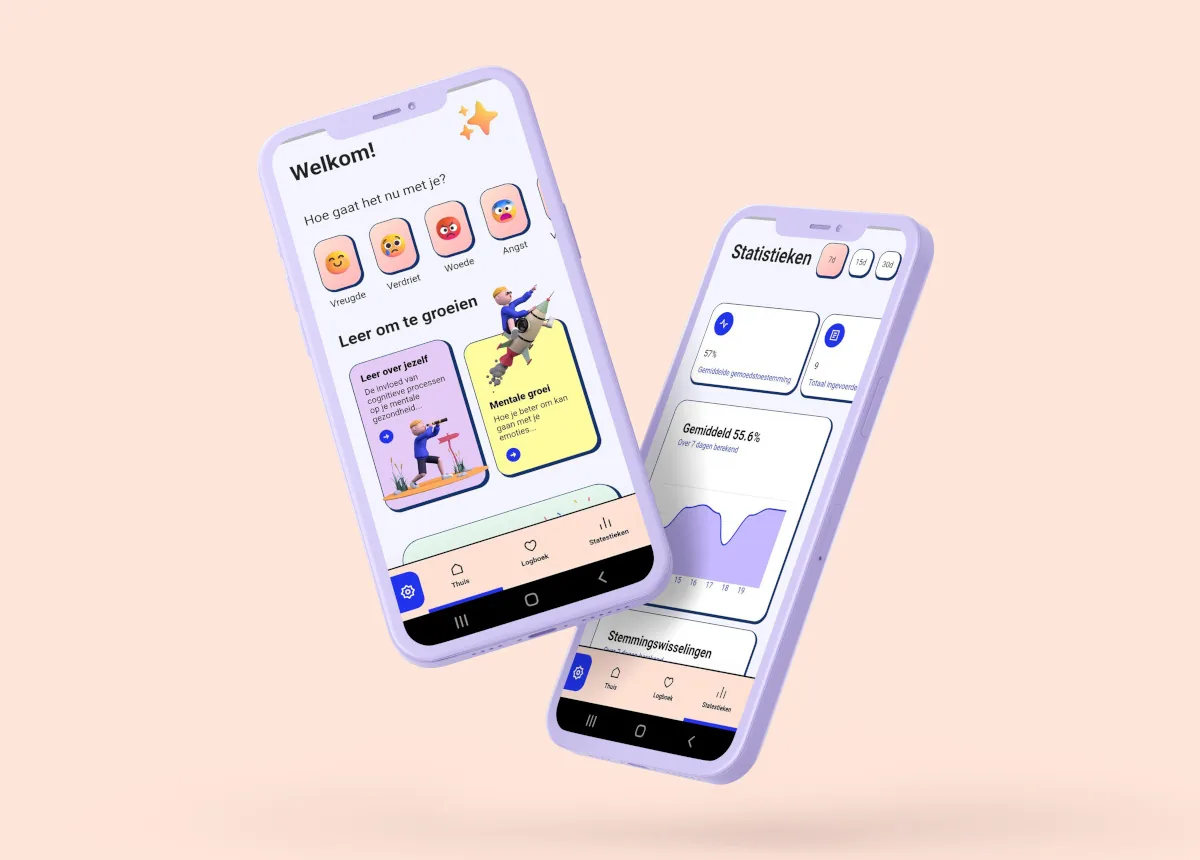
An app to keep track of how you feel every day. After a while, you see what comes up more often.
Moodnu

How it works
- Open the app. At ‘How do you feel now?’, choose one of six feelings, such as joy, sadness or fear.
- Use a slider to show how good you feel.
- Write down what a small step forward could be, if you want to.
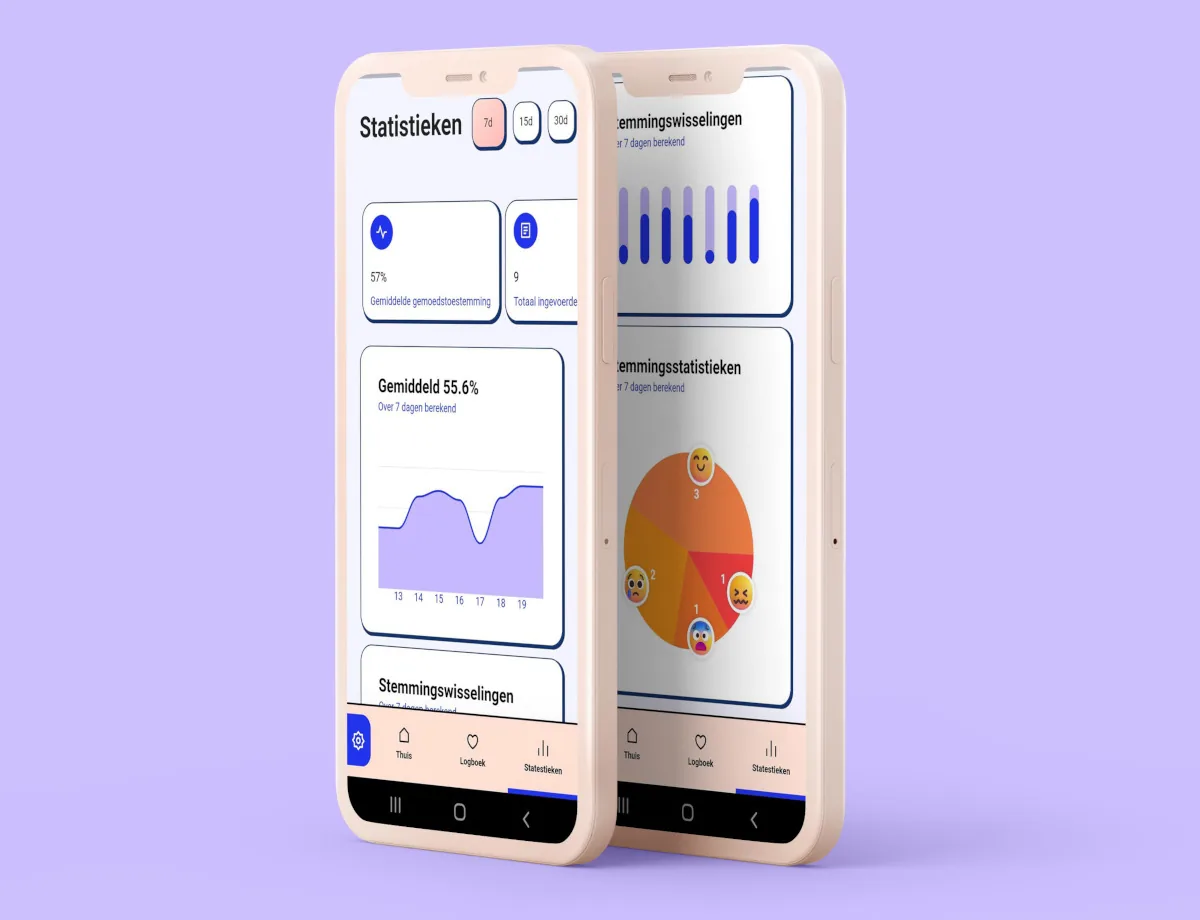
- Under Statistics you see what your mood was like over the past seven days, and how often you had each feeling. For example, you can see on which days things went better.
Filling it in takes a few taps: a feeling, a slider and, if you want, a sentence. The statistics have three parts. One graph shows your average mood, a second shows your mood swings over seven days. A pie chart shows how often you chose each feeling.
Together with your care worker
Are you getting help from a psychologist or another care worker? Then you can look at your overview in the app together when you talk about how the past week went.
Good to know
- Moodnu is only available for Android. You download the app on Google Play.
- The app is free.
- Is something not working, or do you have an idea to make the app better? Send us a message.
More tools
See all toolsBody map
Where in your body do you feel it? Colour in a drawn body where you feel tension, pain, warmth or restlessness.
For: On your ownWith your client
Thought glasses
Is there a thought you cannot shake? Put on a different pair of glasses and look again. Eight pairs, from a magnifying glass to a river, each show the thought in a new way.
For: On your ownWith your client
Tool finder
Answer three short questions and see which tools suit you: from E-powerment and from others.
For: On your ownWith your client
Is something missing?
Does something not work, or are you looking for a tool that does not exist yet? Let us know, a few words is enough. We read everything.